I have seen the ODrive Pro support RLS 18-bit AksIM-2 BiSS-C encoder, how can I select it from web GUI?
It’s a more advanced option, so by default it doesn’t show in the GUI.
-
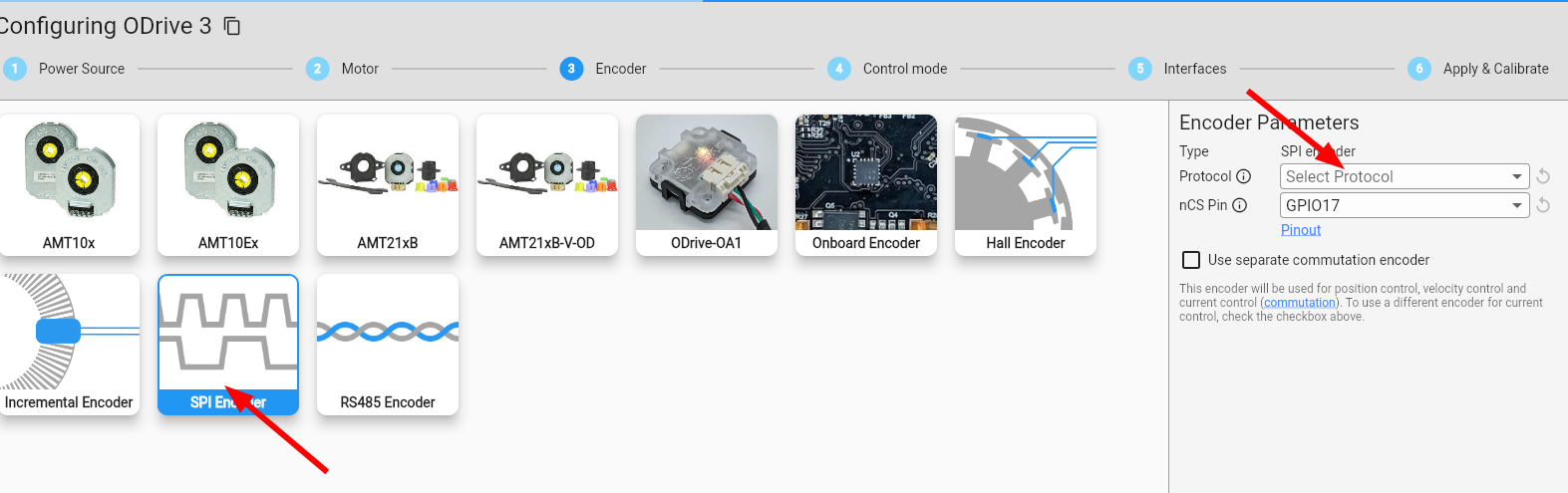
Select SPI encoder, leave protocol blank
-
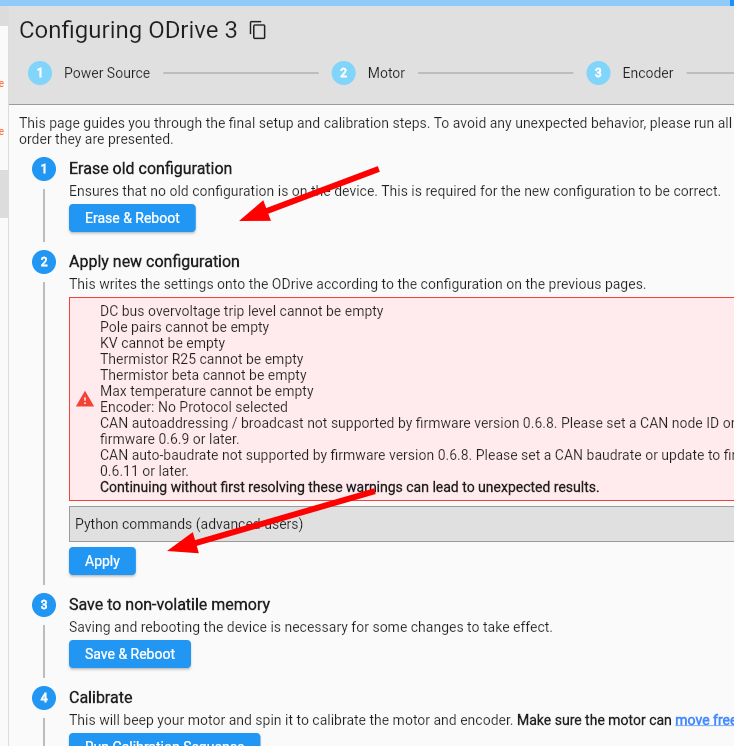
Run the first two steps on the final tab:
-
Go to the inspector tab, search
spi_encoder0, and double click on (or drag to middle “controls” pane):
- config->mode
- config->biss_c_bits
- config->biss_c_multiturn_bits
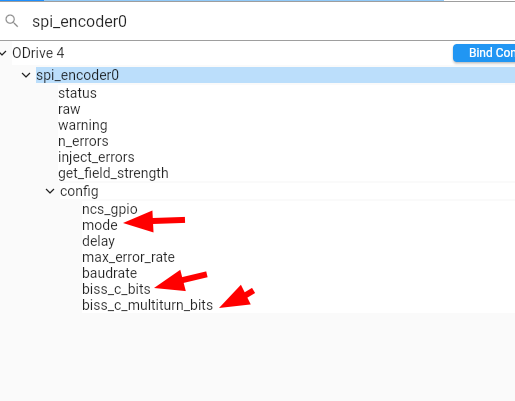
Change mode to BISSC, and biss_c_bits/multiturn_bits to the number of singleturn and multiturn bits from your encoder.

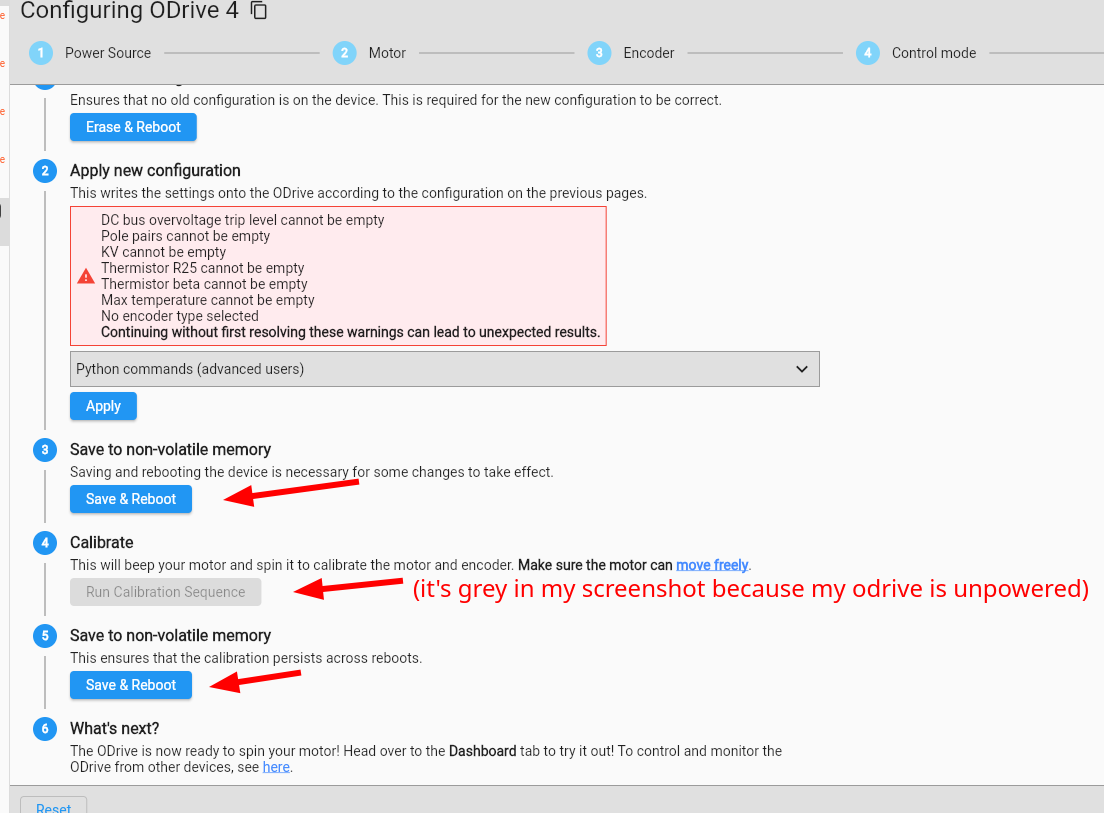
- Go back to the configuration tab, run the remaining steps (starting with “Save & Reboot”)
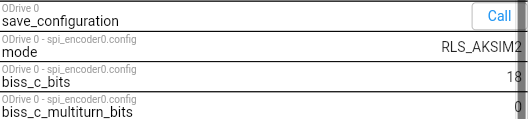
Regarding to the mode, should I select BISSC or RLS_AKSIM2? both are available
The encoder is single turn, shall I set biss_c_multiturn_bits to 0?
After these this change, shall I click the Call button to the Save_configuration? Then go back to the configuration tab and run the remaining steps?
Thanks for your support.
RLS_AKSIM2 mode is for the encoder over SPI specifically: ODrive API Reference — ODrive Documentation 0.6.12 documentation
The encoder is single turn, shall I set biss_c_multiturn_bits to 0?
Yep!
After these this change, shall I click the Call button to the Save_configuration? Then go back to the configuration tab and run the remaining steps?
The “Save & Reboot” button in the configuration tab will also save configuration. So you could run save_configuration in the inspector tab, or back in the configuration tab, both works 