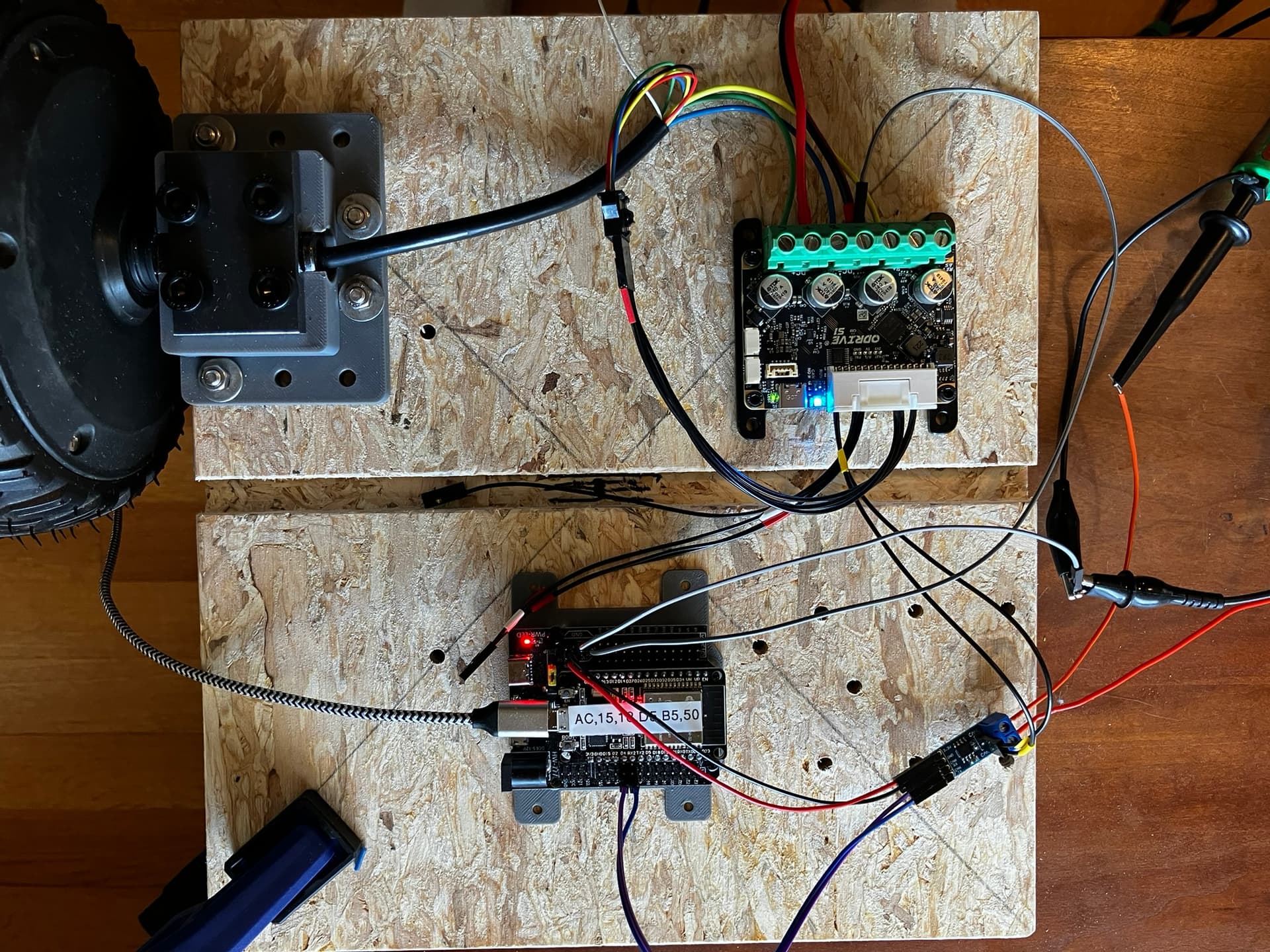
Attempting to get an ODrive S1 to work/communicate with an ESP32 using CAN bus communications and Waveshare SN65HVD230 CAN Board, driving a 6" hoverboard motor that has the typical low-resolution (~4 degree) Hall position sensors.
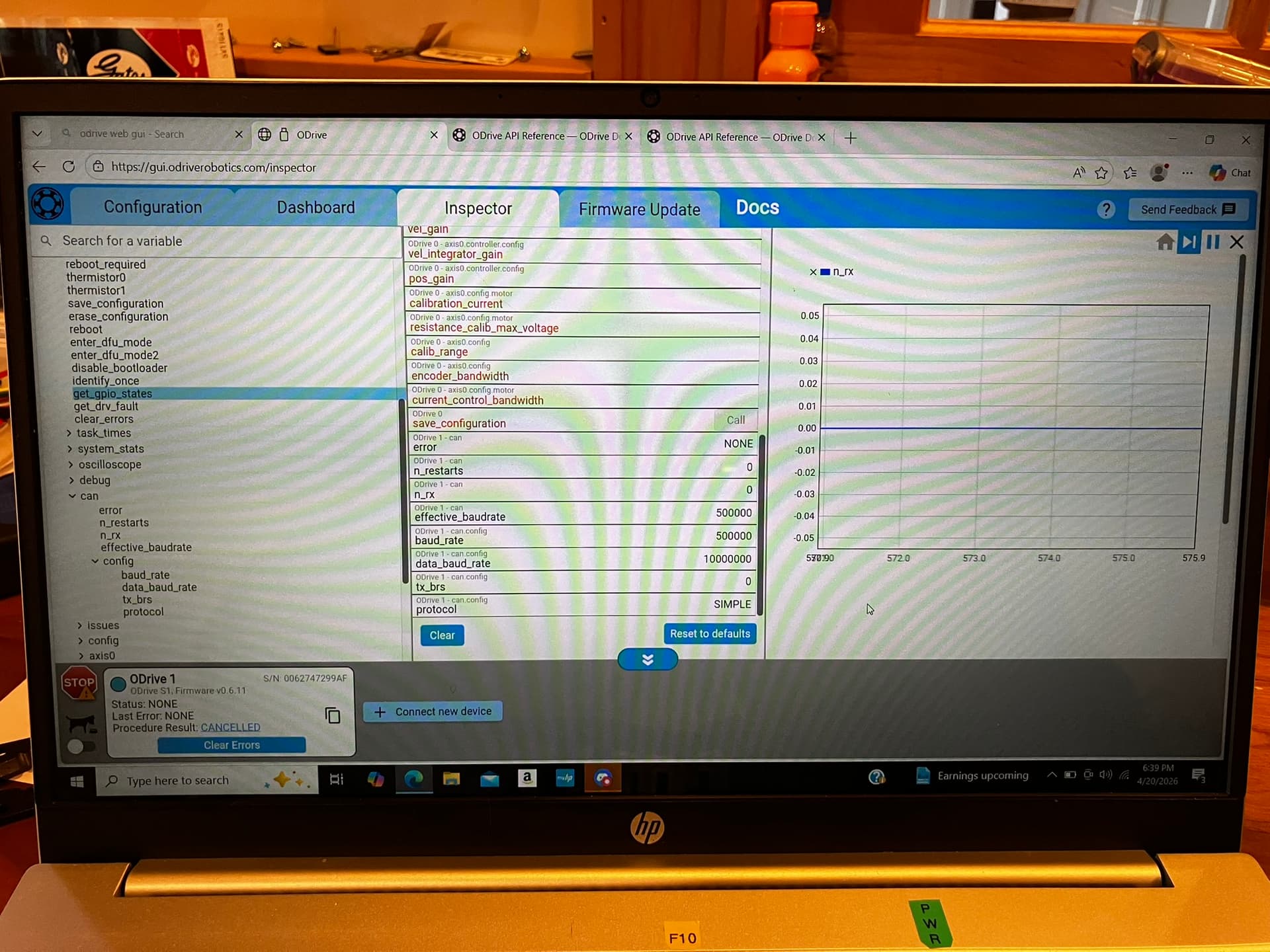
I have used the web GUI to configure the S1 for the hoverboard motor. I can put the hoverboard motor through its paces using the web GUI; position control, velocity control and torque control all work fine. I have saved the settings to the S1. I have also been successful in controlling the motor/controller using the ODriveUART.h and serial commands sent from the ESP32 to the S1. I am planning on having multiple BLDC motors in this project, so I want to convert the control method to CAN bus.
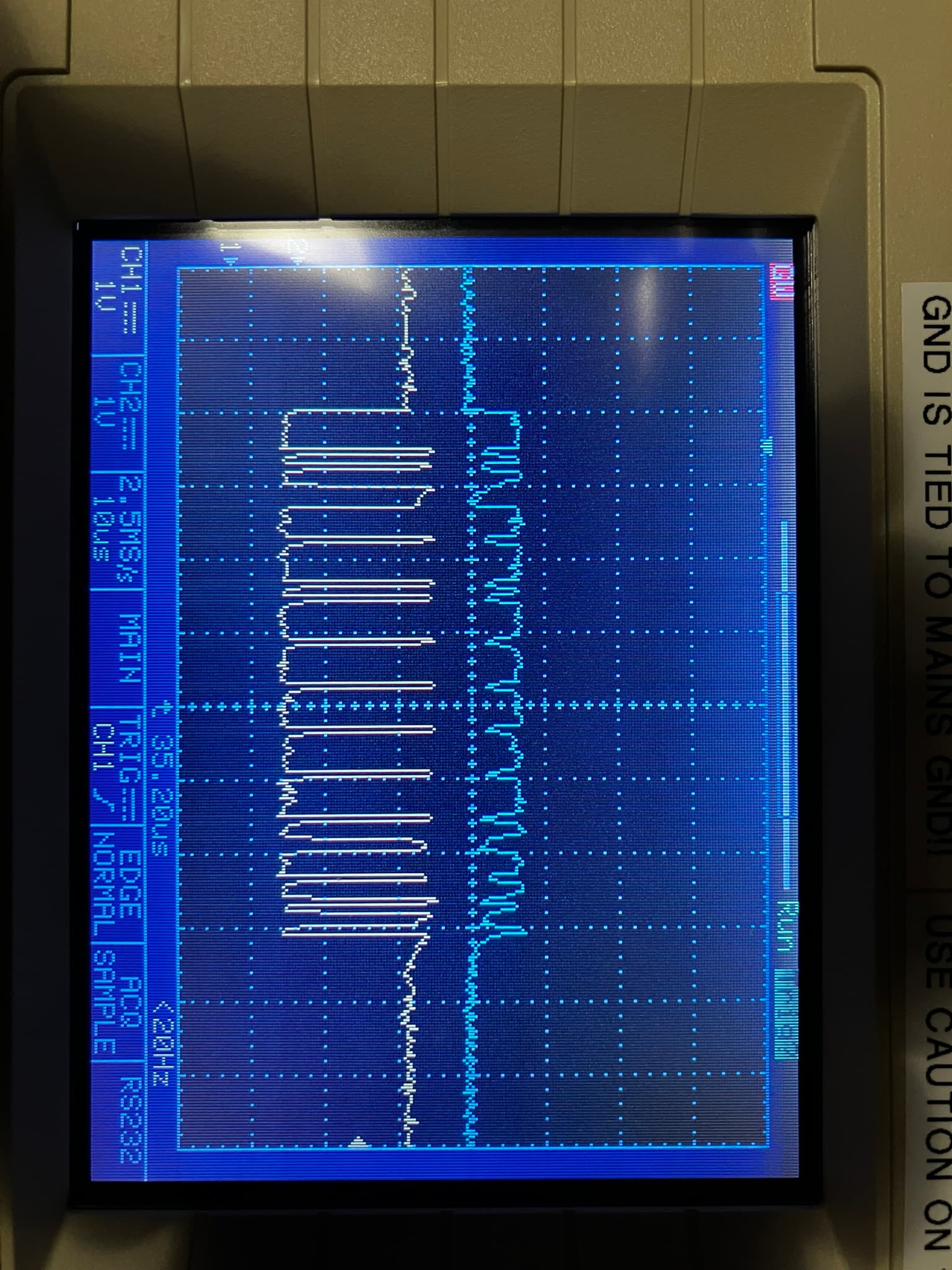
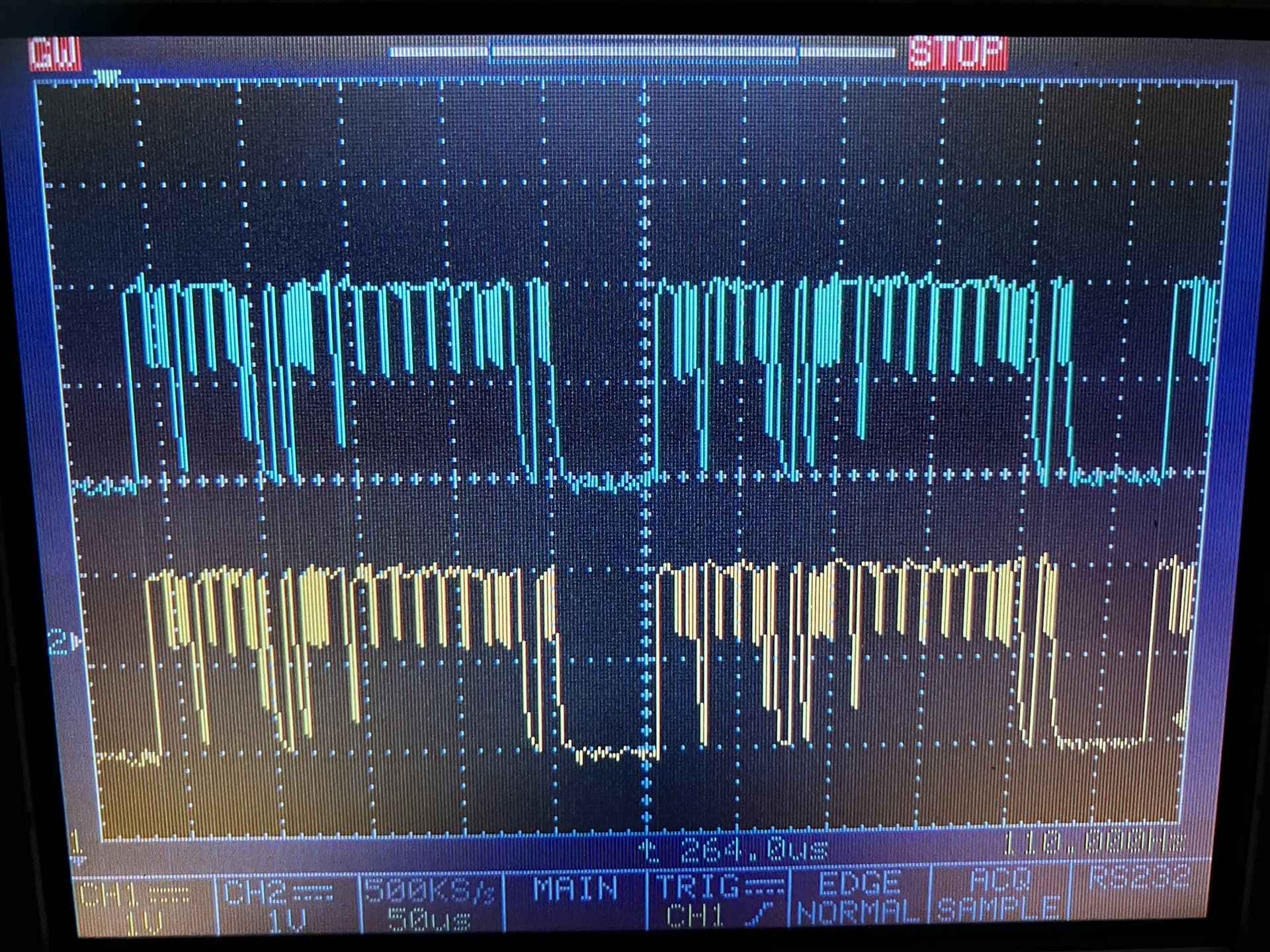
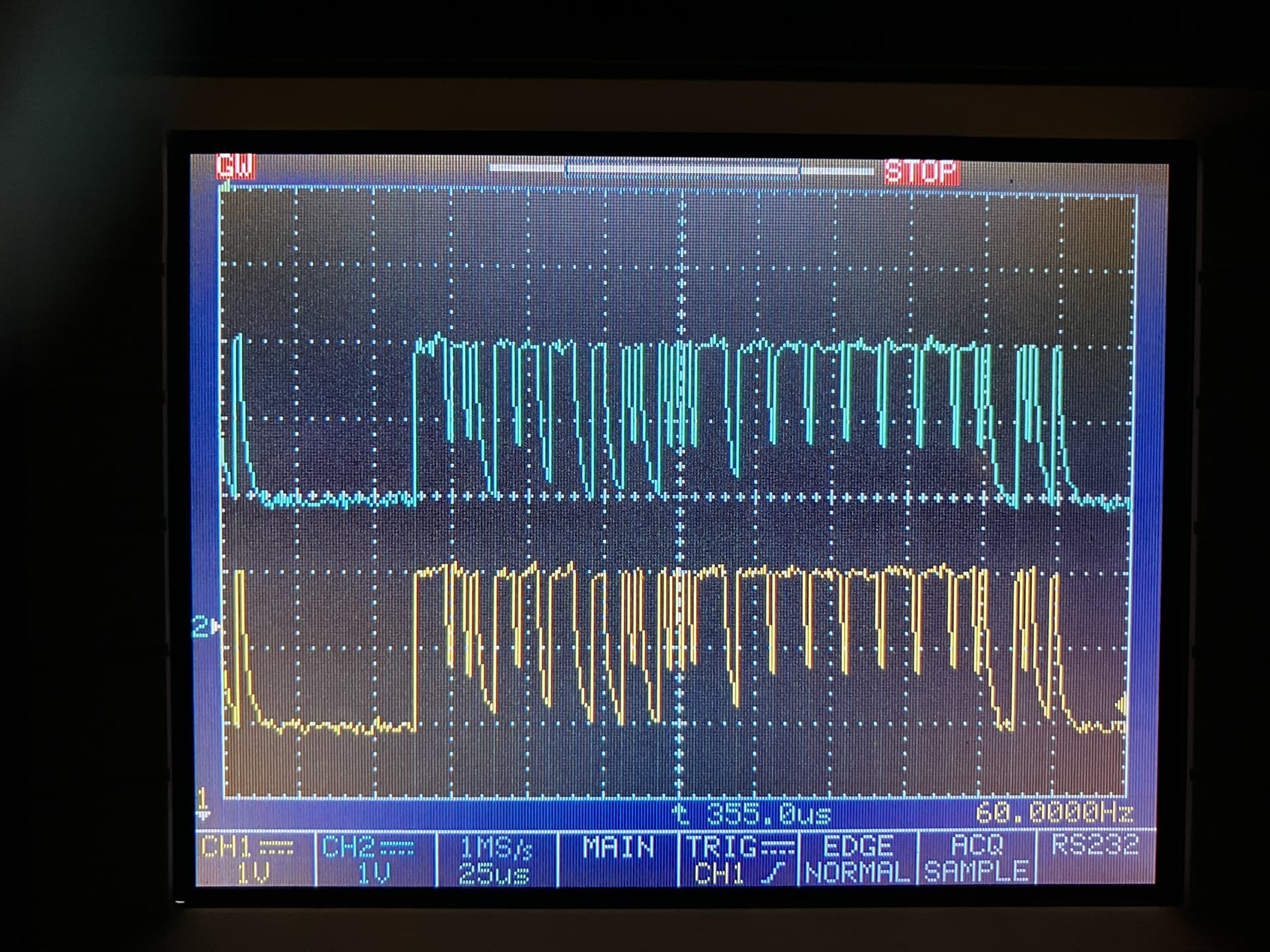
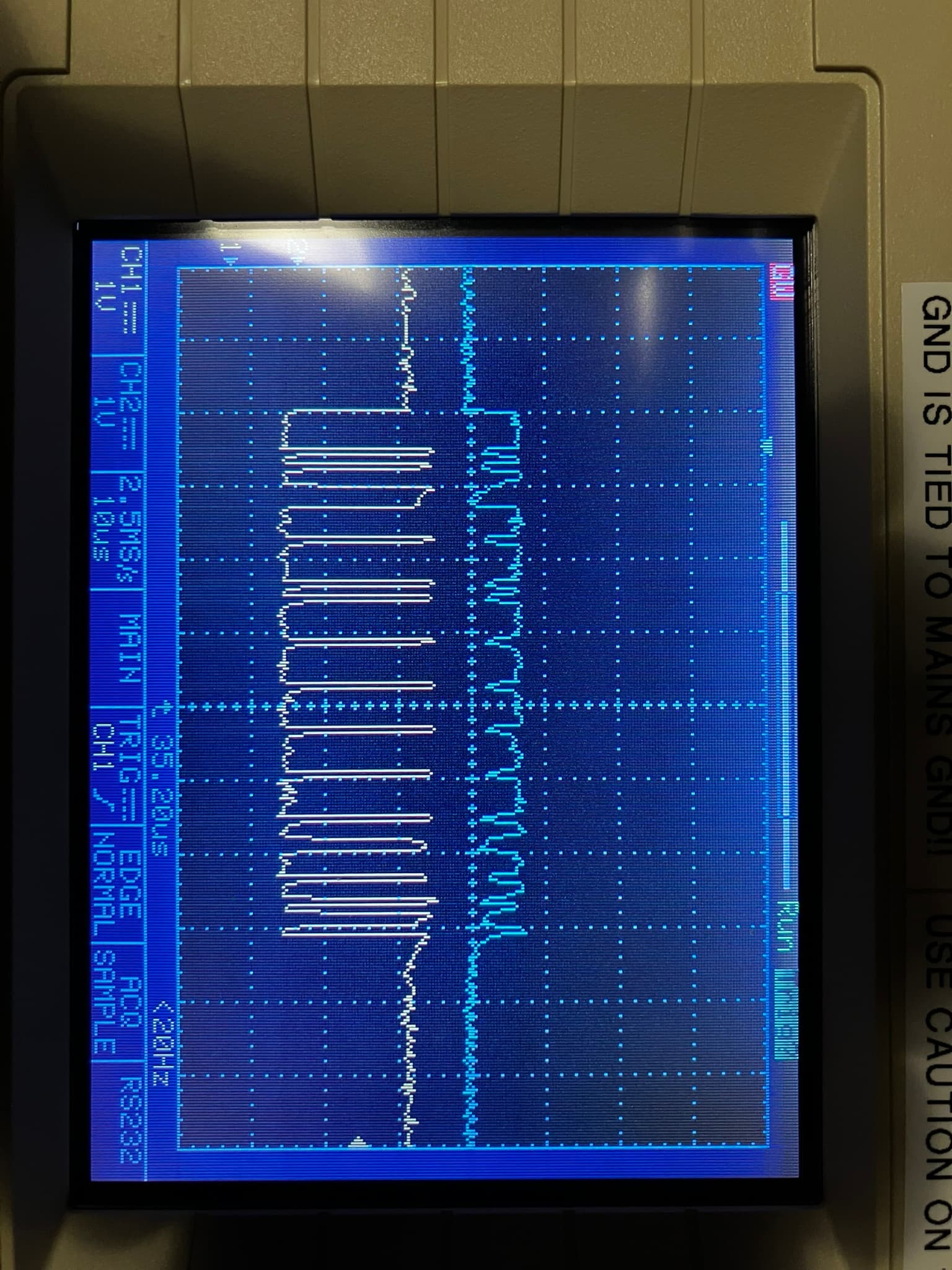
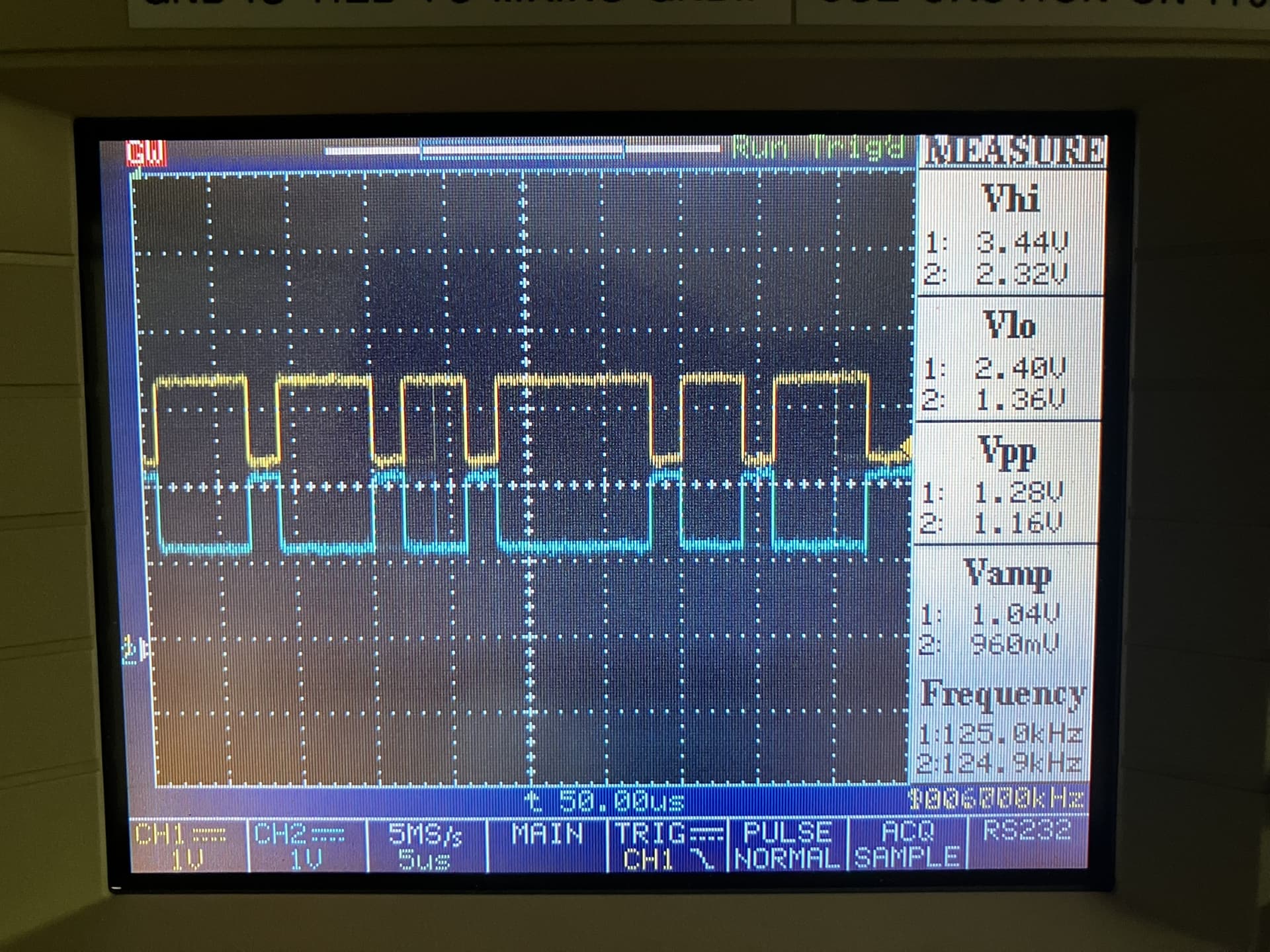
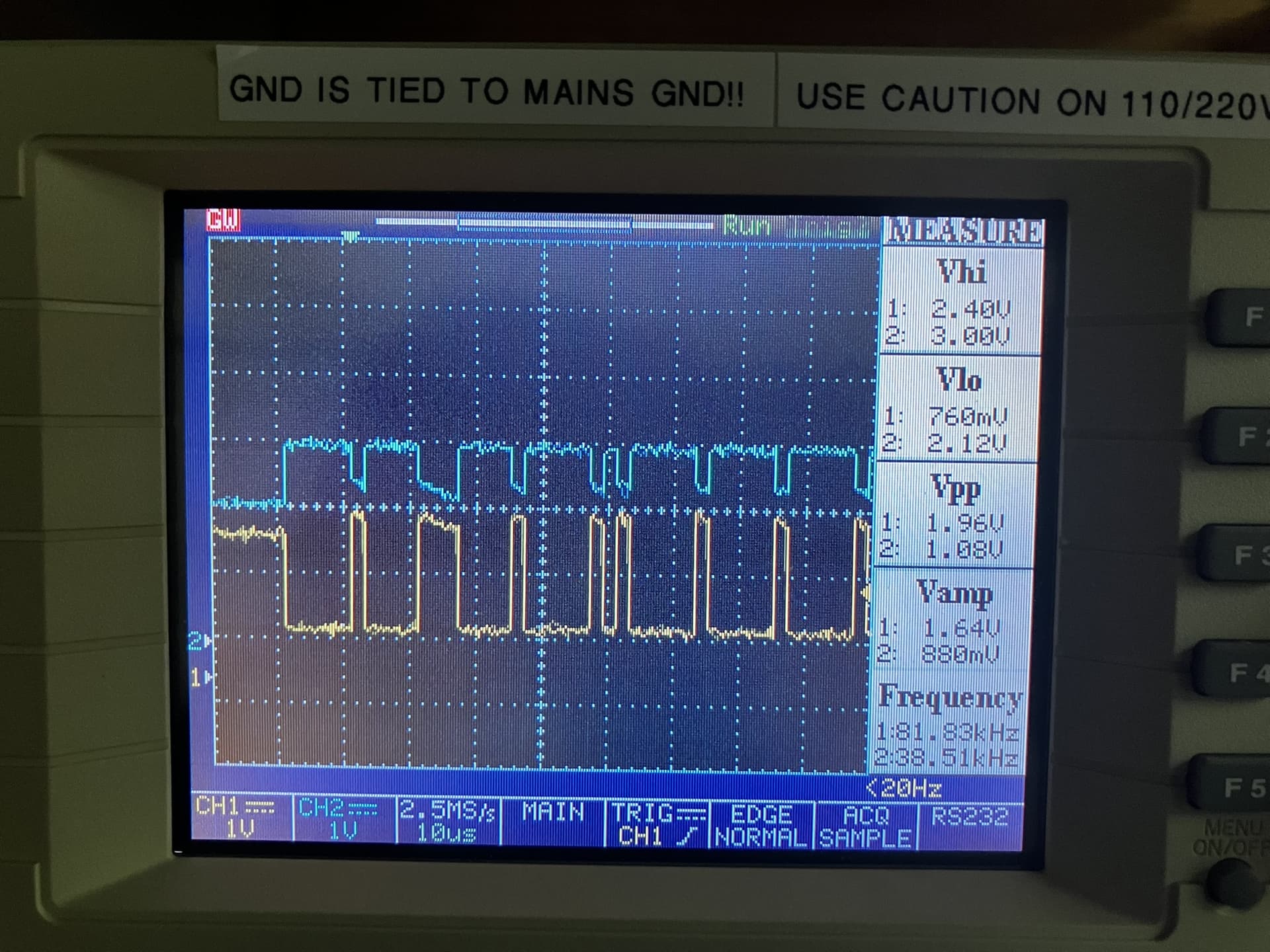
I connected the ESP32 to the Waveshare SN65HVD230 (3.3v, Gnd, TX, Rx), the SN65HVD230 to the S1 (CANH, CANL) and connected a common ground (hoverboard battery negative terminal to a ESP32 Gnd pin). Switch on S1 is set to 120 ohm resistor and the bus shows a correct 60 ohms between the CANh and CANL. I also have an o’scope attached to the CAN bus and it shows what I believe is a successful transmission of a command from the ESP32 to the CAN bus.
I have used the attached program to attempt to get the controller into AXIS_STATE_CLOSED_LOOP_CONTROL, and even though I see the command go over the CAN bus with the o’scope, the controller LED remains a slow pulsing blue (which I believe means ‘idle state, awaiting command’). I’m thinking the LED should go to the green color, because the is what happens when I set the state to AXIS_STATE_CLOSED_LOOP_CONTROL on the web GUI.
I have also tried sending the command AXIS_STATE_FULL_CALIBRATION_SEQUENCE using the same program (simply changing the message byte[0] to 0x03), but there is no reaction from the motor/controller.
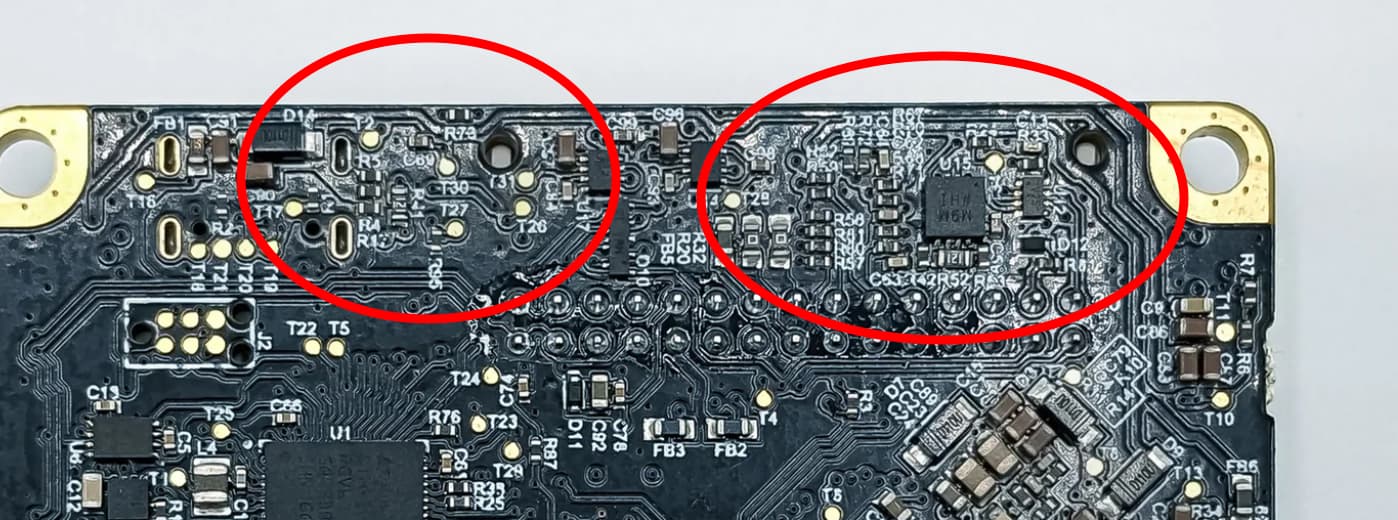
I’m attaching the program I am running on the ESP32 and pictures of the wiring setup as well as the o’scope signal capture of what I believe is a correct signals over the CAN bus. I am attaching the CAN bus to pins 1 and 2 of the large pinheader of the S1 which I believe is correct.
I have tried using different baudrates for the CAN bus (I set to 500K using the web GUI), tried 250K, 500K and 1M in the attached program but still no reaction from the S1.
I have also tried different node ID’s (0 and 1) using the web GUI and changing the attached program, but still no reaction from the S1.
Lastly, I have two S1s on hand, I have tried both units but neither works with the CAN bus after working well with the web GUI and also ESP32 UART.
I am stumped, does anyone have any ideas???
Nate
// Documentation for this example can be found here:
// https://docs.odriverobotics.com/v/latest/guides/arduino-uart-guide.html

// 0: AXIS_STATE_UNDEFINED – The state is unknown or the ODrive is not communicating.
// 1: AXIS_STATE_IDLE – The axis is inactive; no power is sent to the motor.
// 2: AXIS_STATE_STARTUP_SEQUENCE – The axis is performing its initial startup routine.
// 3: AXIS_STATE_FULL_CALIBRATION_SEQUENCE – Performs both motor and encoder calibration.
// 4: AXIS_STATE_MOTOR_CALIBRATION – Measures motor resistance and inductance.
// 6: AXIS_STATE_ENCODER_INDEX_SEARCH – Finds the physical index pulse on an encoder.
// 7: AXIS_STATE_ENCODER_OFFSET_CALIBRATION – Calibrates the relationship between the encoder and motor phases.
// 8: AXIS_STATE_CLOSED_LOOP_CONTROL – The motor is actively holding position or following a velocity/torque command.
// 9: AXIS_STATE_LOCKIN_SPIN – Rotates the motor at a fixed speed without using encoder feedback (open loop).
// 10: AXIS_STATE_ENCODER_DIR_FIND – Automatically determines the direction of the encoder.
// 11: AXIS_STATE_HOMING – Moves the axis until it hits an endstop to find a home position.
// 12: AXIS_STATE_ENCODER_HALL_POLARITY_CALIBRATION – Specifically for motors using Hall effect sensors


#include "driver/twai.h"

// Define CAN pins
#define CAN_TX GPIO_NUM_17
#define CAN_RX GPIO_NUM_16


#define ODRIVE_NODE_ID              0x00

#define SET_AXIS_STATE_CMD          0x07

#define AXIS_STATE_CLOSED_LOOP      0x08
#define FULL_CALIBRATION_SEQUENCE   0x03


// SETUP  --  SETUP  --  SETUP  --  SETUP  --  SETUP  --  SETUP  --  SETUP  --  SETUP  --  SETUP  --  SETUP  --  SETUP  --  SETUP  --
// SETUP  --  SETUP  --  SETUP  --  SETUP  --  SETUP  --  SETUP  --  SETUP  --  SETUP  --  SETUP  --  SETUP  --  SETUP  --  SETUP  --
void setup()        {
  Serial.begin(115200);
  delay(2000);
  Serial.print("Starting odriveCanTest");

  // Initialize configuration structures
  twai_general_config_t g_config = TWAI_GENERAL_CONFIG_DEFAULT(CAN_TX, CAN_RX, TWAI_MODE_NORMAL);
  twai_timing_config_t t_config = TWAI_TIMING_CONFIG_500KBITS();
  twai_filter_config_t f_config = TWAI_FILTER_CONFIG_ACCEPT_ALL();

  // Install and start CAN driver
  if (twai_driver_install(&g_config, &t_config, &f_config) == ESP_OK) {
    Serial.println("Driver installed");
  } else {
    Serial.println("Failed to install driver");
    return;
  }

  if (twai_start() == ESP_OK) {
    Serial.println("twai CAN Driver started");
  }

}
// SETUP  --  SETUP  --  SETUP  --  SETUP  --  SETUP  --  SETUP  --  SETUP  --  SETUP  --  SETUP  --  SETUP  --  SETUP  --  SETUP  --
// SETUP  --  SETUP  --  SETUP  --  SETUP  --  SETUP  --  SETUP  --  SETUP  --  SETUP  --  SETUP  --  SETUP  --  SETUP  --  SETUP  --


// MAIN --  MAIN --  MAIN --  MAIN --  MAIN --  MAIN --  MAIN --  MAIN --  MAIN --  MAIN --  MAIN --  MAIN --  MAIN --  MAIN --
// MAIN --  MAIN --  MAIN --  MAIN --  MAIN --  MAIN --  MAIN --  MAIN --  MAIN --  MAIN --  MAIN --  MAIN --  MAIN --  MAIN --
// MAIN --  MAIN --  MAIN --  MAIN --  MAIN --  MAIN --  MAIN --  MAIN --  MAIN --  MAIN --  MAIN --  MAIN --  MAIN --  MAIN --
void loop()  {
  // Header
  twai_message_t message;
  message.identifier = ((ODRIVE_NODE_ID << 5) | SET_AXIS_STATE_CMD);
  message.extd = 0;
  message.data_length_code = 4;

  // Data
  message.data[0] = AXIS_STATE_CLOSED_LOOP;
  message.data[1] = 0x00;
  message.data[2] = 0x00;
  message.data[3] = 0x00;

  // Send Message
  if (twai_transmit(&message, pdMS_TO_TICKS(1000)) == ESP_OK) {
    Serial.println("CAN message sent");
  } else {
      Serial.println("Failed to send message");
  }


  delay(5000);

}
// MAIN --  MAIN --  MAIN --  MAIN --  MAIN --  MAIN --  MAIN --  MAIN --  MAIN --  MAIN --  MAIN --  MAIN --  MAIN --  MAIN --
// MAIN --  MAIN --  MAIN --  MAIN --  MAIN --  MAIN --  MAIN --  MAIN --  MAIN --  MAIN --  MAIN --  MAIN --  MAIN --  MAIN --
// MAIN --  MAIN --  MAIN --  MAIN --  MAIN --  MAIN --  MAIN --  MAIN --  MAIN --  MAIN --  MAIN --  MAIN --  MAIN --  MAIN --