Gimbal Motor tuning struggles with no errors

Hi there,

I’m using an ODrive S1 with the GL100 KV10 Gimbal motor and the 600 ppr Taiss Incremental Rotary Encoder for a human behavioral experiment. (Thank you @solomondg already for helping me order some parts a while back).

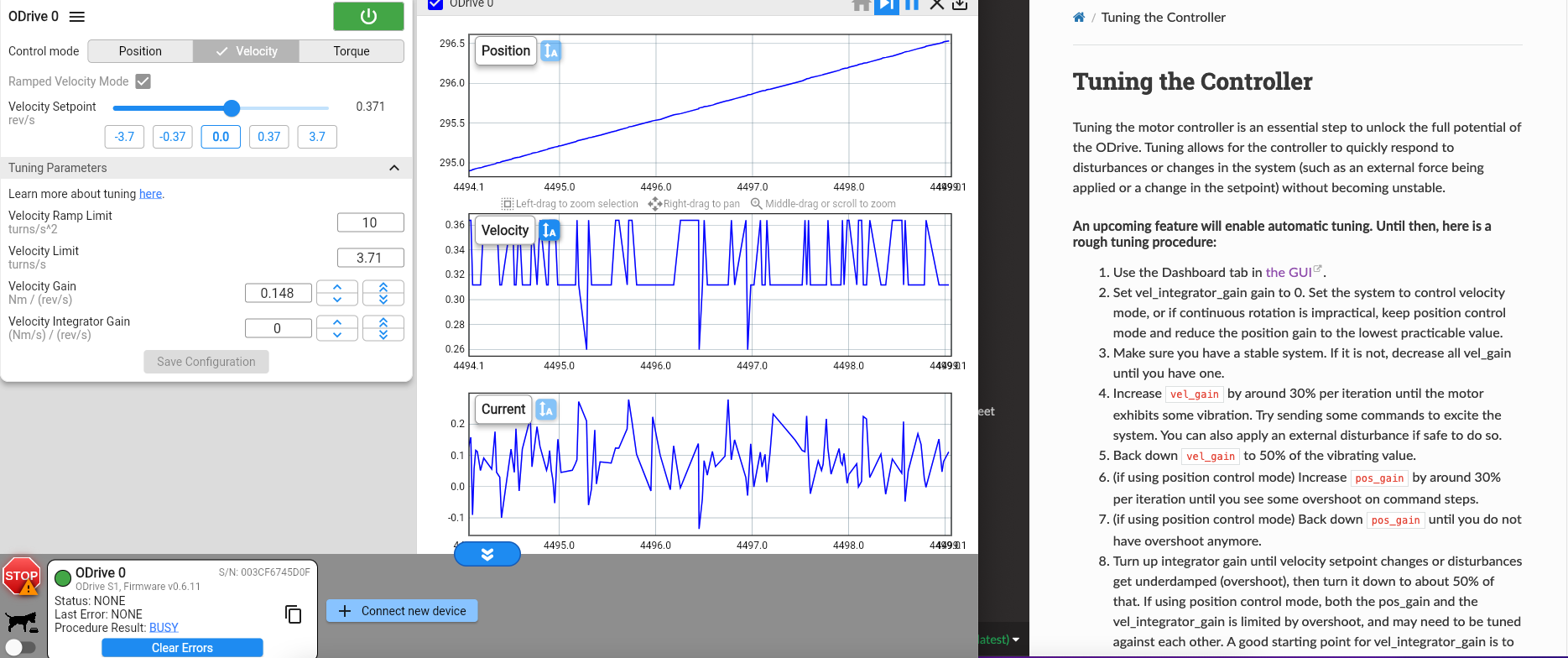
I am now trying to tune the gains of my controller using Ramped Velocity Control through the GUI. However, I’m experiencing some issues similar to this post where the velocity “dies off” to 0, and I can’t tune the controller. Furthermore, there are no errors in the GUI. Calibration completes successfully too. Following the advice from that post, I checked my rotary encoder by manually spinning the shaft, and the rotary encoder seems to work as expected (the cpr is 600*4 = 2400, and each small turn I impart on the encoder outputs about 1/2400 = 0.00042 revolutions).

Here is a google drive link to a video of the motor’s behavior during tuning. As you can see, the velocity dies to 0. The position estimates of the encoder (in blue of the Inspector) and of the motor (in green of the inspector) make sense because the motor’s position estimate is just the incremental number of revolutions spun, while the encoder’s position is the “true” fractional position of the encoder.

I had read something in the forum that the current_lim and current_calibration parameters are actually in terms of voltage for gimbal motors. Maybe my parameters are incorrect for those as I based them in terms of current. However, these posts referred to earlier firmware versions (May 2023). I’m using version 0.6.11, so I don’t know if that guidance still applies.

Do y’all have any advice on what I can do to successfully tune my motor? Below are the parameters I’ve set in the GUI:

Power Source
Power supply (DC, benchtop): 24V
DC bus overvoltage trip level: 30 V
DC bus undervoltage trip level: 10.5 V
DC max positive current: 10A
DC max negative current: -0.01A
Use brake resistor: True, 2 Ohms (I’m using the one that came with the S1)

Motor Parameters
Type: Gimbal
Phase resistance: 2.65 Ohms
Pole Pairs: 20
KV: 8.03 rpm/V NOTE: the KV listed in the motor specs is 9.3, but I changed it to 8.03 here in order to match the KT of the motor specs, which is 1.030.
Current limit: 3A
Motor calibration current: 1.8A
Motor calibration voltage: 10V
Lock-in spin current: 2.25A

Encoder Parameters
Type: ABZ encoder
Resolution: 2400

Control Mode
Control Mode: Ramped Velocity Control
Ramp limit: 10 turns/s^2
Soft velocity limit: 3.71 turns/s NOTE: the “no-load speed” according to my motor specs is 223 rpm, which is about 3.72 turns/s
Hard velocity limit: 3.71 turns/s (I made this value the same as the soft velocity limit)
Torque limit: 5 Nm

Interface
USB

Apply and Calibrate
Runs smoothly

Thank you!
Nikasha
Hi! That video was super helpful, thank you! This sounds pretty textbook like an encoder issue. Likely either the encoder is slipping, or there’s some wiring or interferance issue causing the ODrive to miss pulses. Could you send some pictures of the encoder coupling and your wiring?

Thank you so much! Attached are some photos of my setup, and here’s also another google drive link with a video of the motor, rotary encoder, and shaft collar connecting the two.

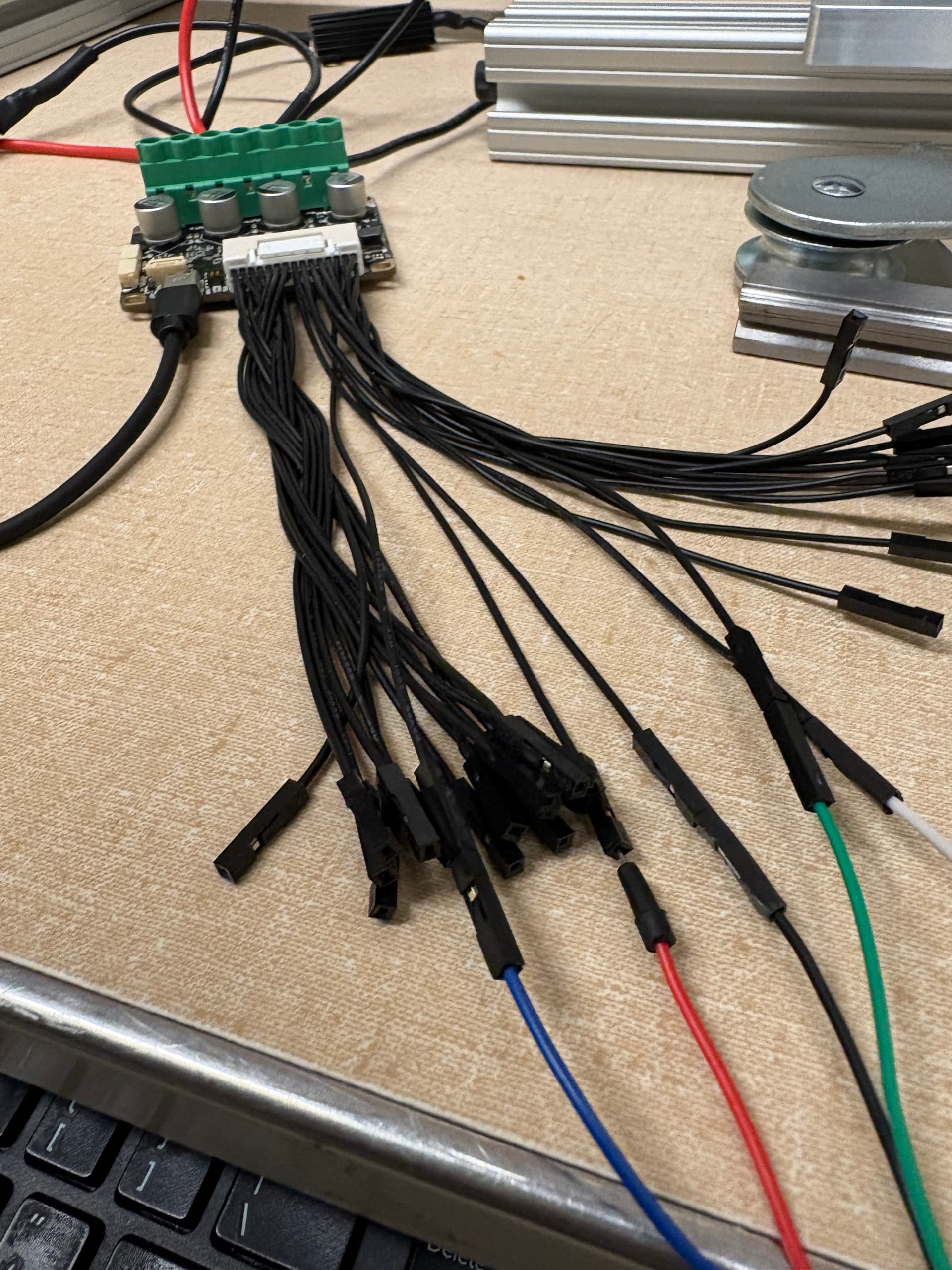
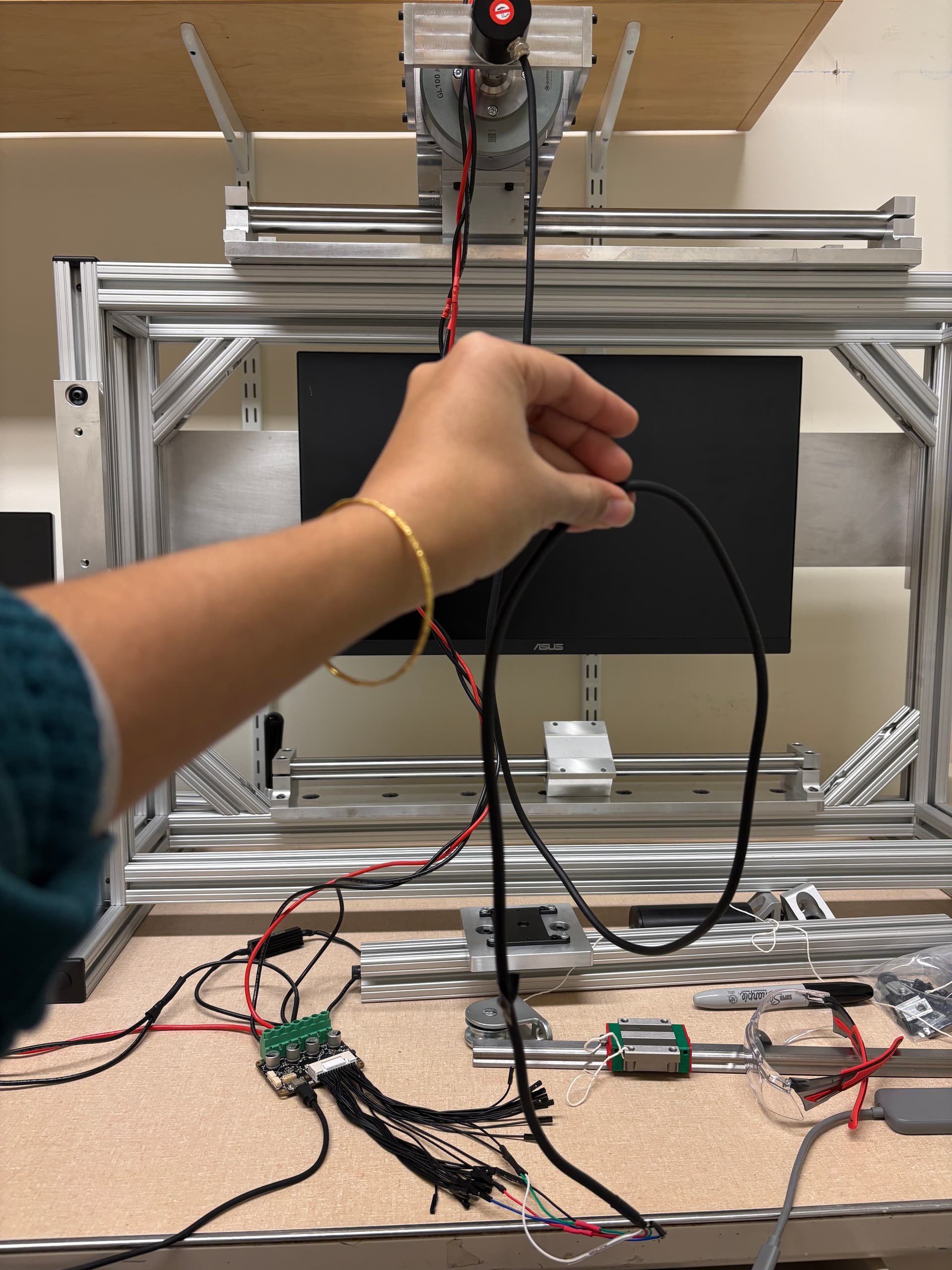
I tried to capture the broader wiring in the first photo below. I kept the wires really long just for ease of moving stuff around in our lab, but eventually I will be shortening these.

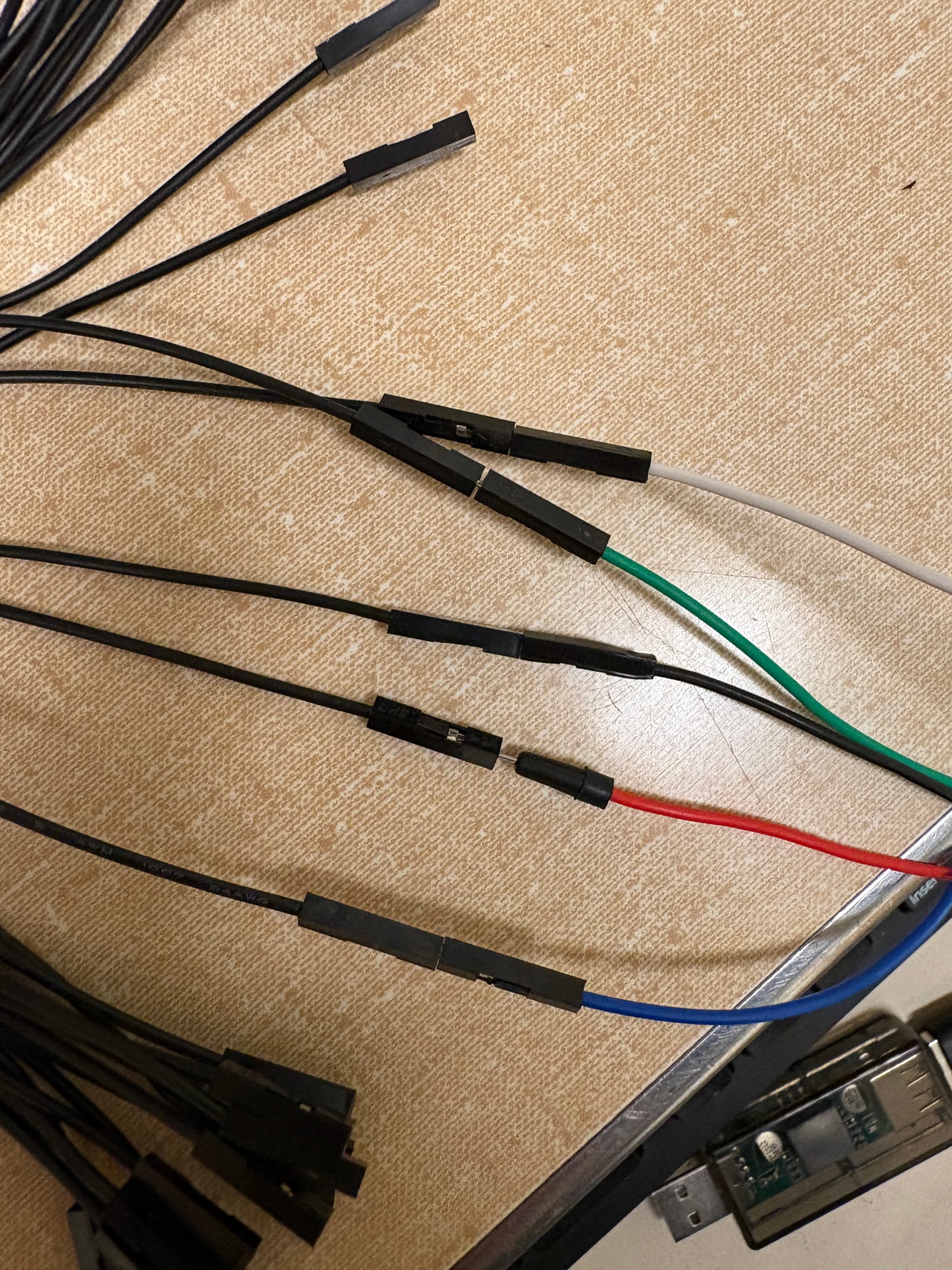
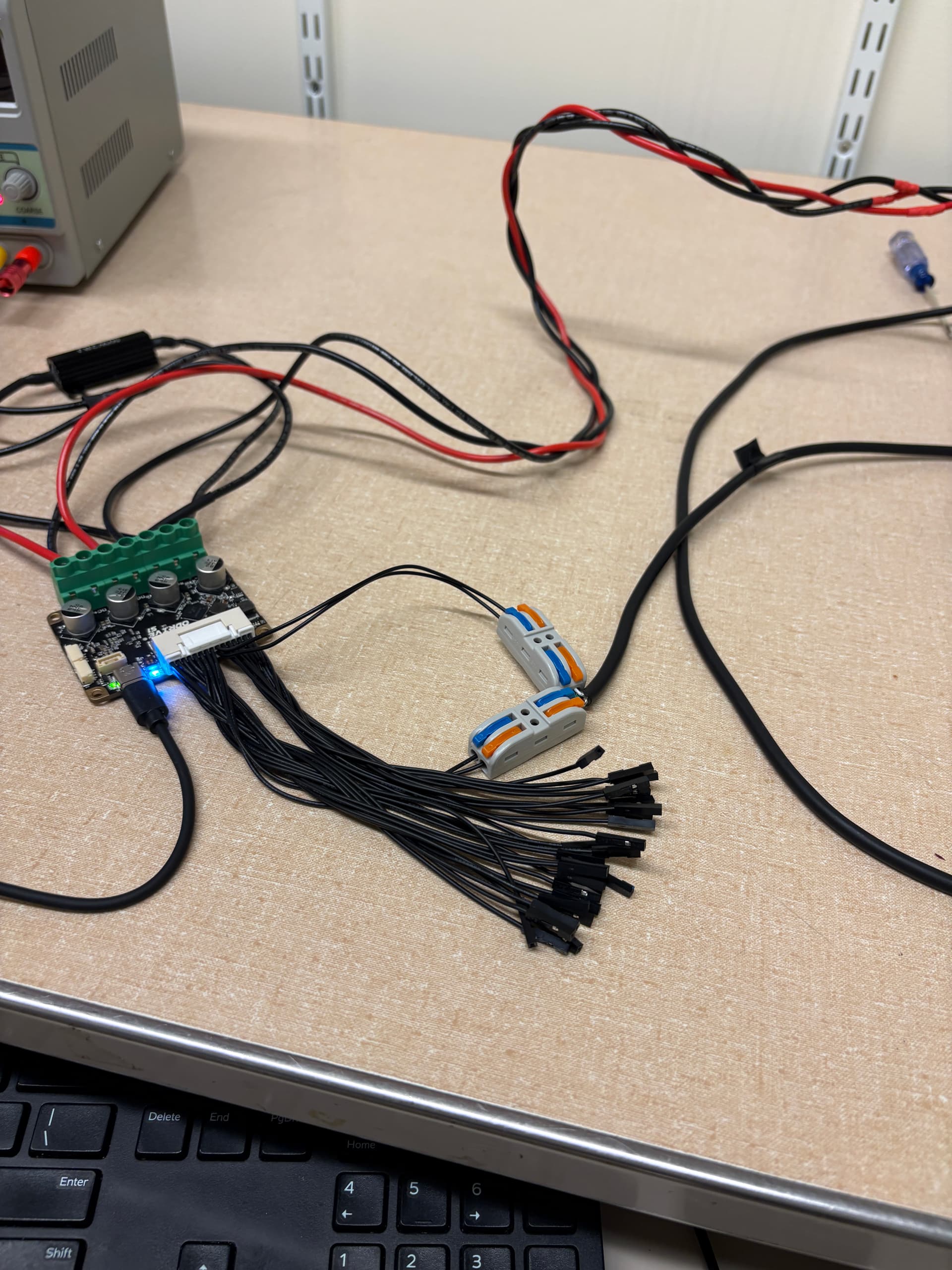
Here are the connections between my encoder wires (PWR is red, GND black, CLK is white, DT is green, and the drain wire is blue, connected to pin 26).

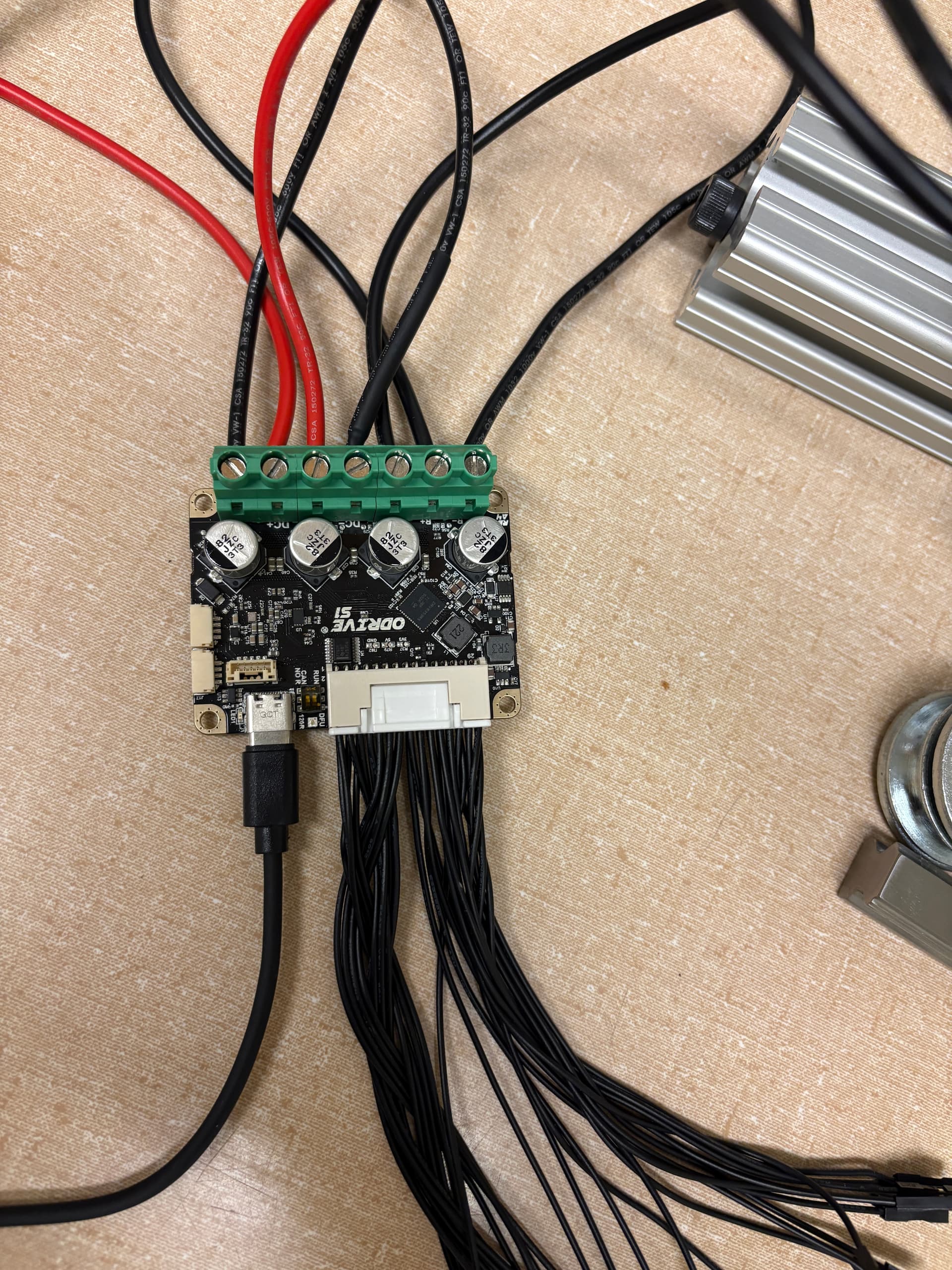
And here’s what my ODrive looks like

Do you have an oscilloscope? It would be interesting to see the A/B waveforms while the motor’s running, I think it could be possible to have an intermittent connection with those pin headers. And just to confirm, no possibility of slippage whatsoever with that shaft coupler, you think? Since you have a 20 pole pair motor, it only needs to slip about 3° to invalidate calibration.

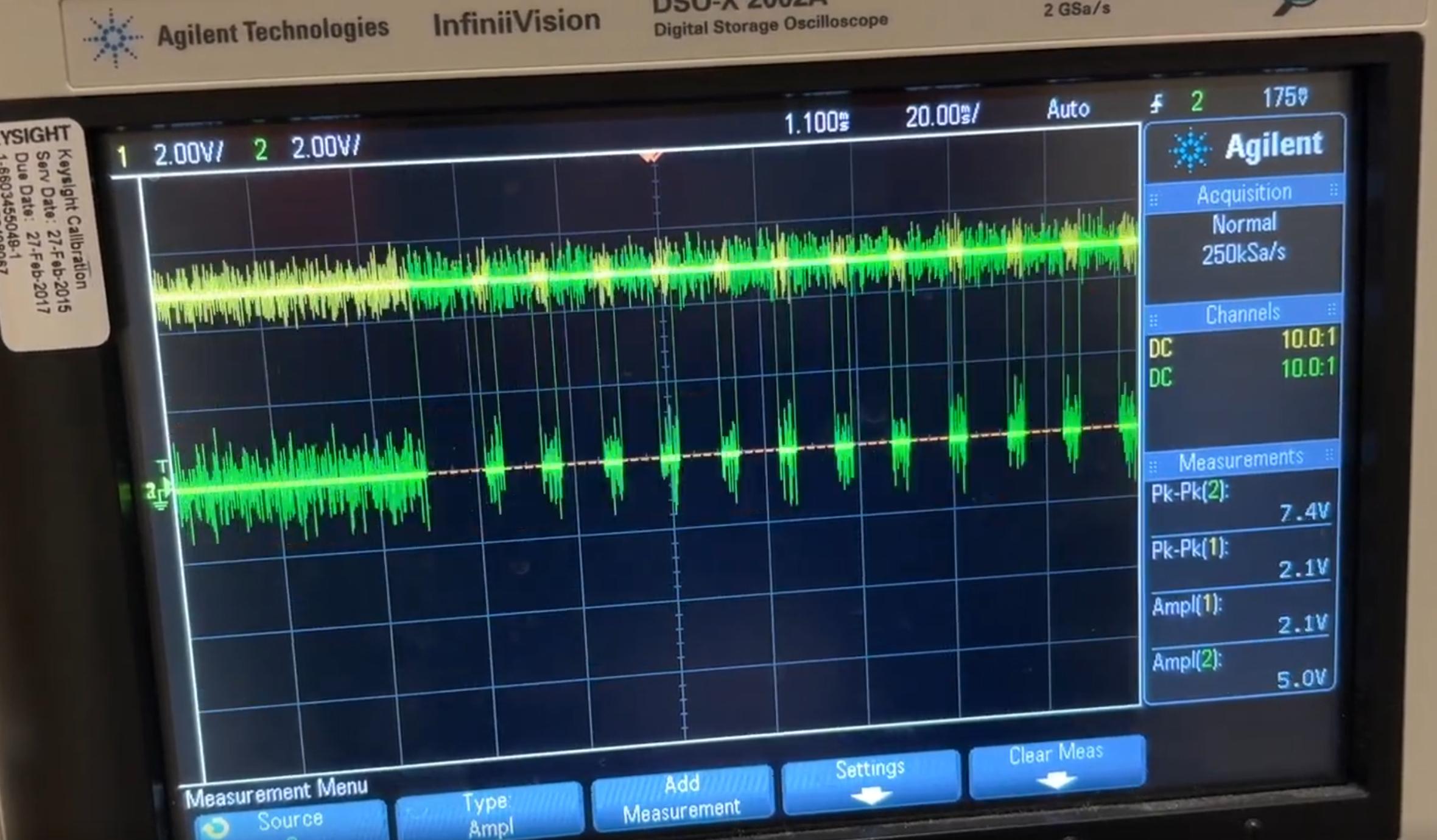
I do have an oscilloscope! Just hooked it up to the rotary encoder A/B phase outputs. The results are pretty strange:

Here’s a video of the A/B waveforms when the motor is idle, and I manually rotate the shaft. The waveforms are crisp. (Because I’m manually spinning the motor, the frequency is very variable as I’m not that smooth).

When I run the motor calibration sequence, the waveforms become fuzzier. The motor still moves smoothly and at a consistent rate.

When I try to do tuning in Velocity control mode, the waveforms first look like the calibration. (The control starts about 18 seconds into the video). Then as the motor slows down and eventually stops, the waveforms become really weird. I don’t know what to make of that. At around 44 seconds into this video, the motor is visibly still (with no visible vibrations).

Maybe that weirdness in the waveforms is a reflection of the encoder? Also my calibration failed when I initially hooked up the rotary encoder outputs to a different breadboard, so maybe that’s an indication that I need a stronger electrical connection.

Mechanically, the shaft coupler seems pretty tight, so I don’t think there’s slippage.

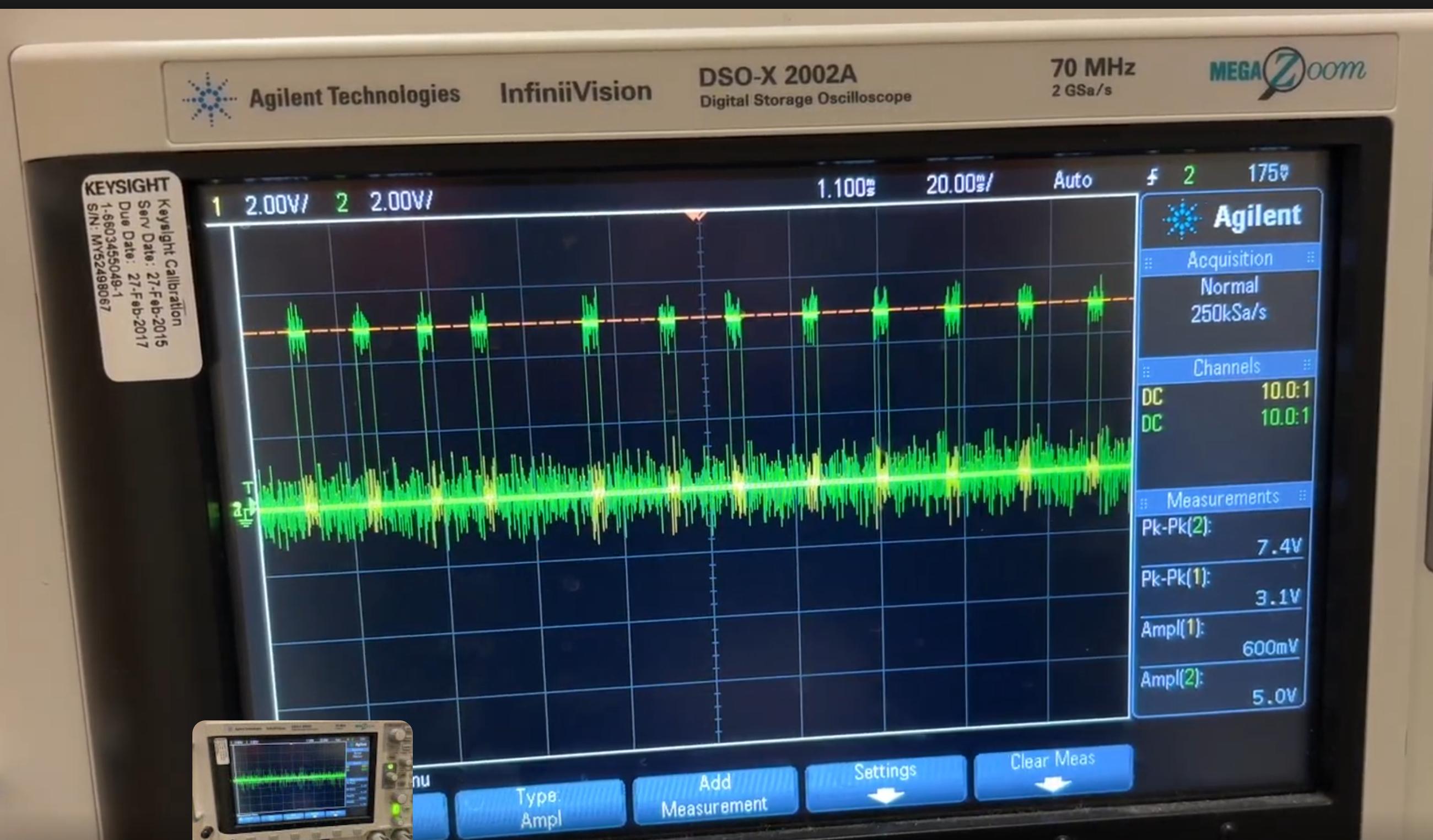
Interesting! I’d say it generally looks like a noise/interference issue, but there are some parts that just don’t make sense / look super wrong, e.g. we should be seeing some transition on whichever phase is on the yellow channel:


My general assumption is that you have some loose connection / bad solder joint in there – those breadboard jumpers are always some horrible cheap copper/aluminum that’s weirdly impossible to solder to, it might be worth actually doing a dupont crimp on the encoder cable itself, or getting a S1 harness build kit and just soldering the whole thing up.

1 Like

Thank you, Solomon! Yeah I did have a hard time soldering those breadboard jumpers. I’ll give the crimping a try or the harness build kit and will let you know how things work out!

The motor now spins continuously! I made two main changes:

  1. I ditched the breadboard jumpers and connected the relevant wires from the IO harness I had to the rotary encoder directly. I used the Gkeemars wire connectors we had on hand, and I stripped the female dupont ends of the wires on the IO harness

I originally tried putting dupont crimp ends on the rotary encoder wires directly and then connecting those crimped wires into the logic pins; however, I was suddenly getting POLE_PAIR_CPR_MISMATCH errors. I probably didn’t crimp those connections well.

  1. I grounded my encoder’s shield wire more robustly. Before, I just connected the shield wire to an unused GND GPIO port by soldering to the (bad) breadboard wire. To fix that issue, I soldered the end of my shield wire to my encoder’s designated GND wire.

Here’s a link to the motor spinning. Now I can tune the parameters.

Thank you so much!

That totally makes sense, looks great! Please let me know if there’s any other way I can help!