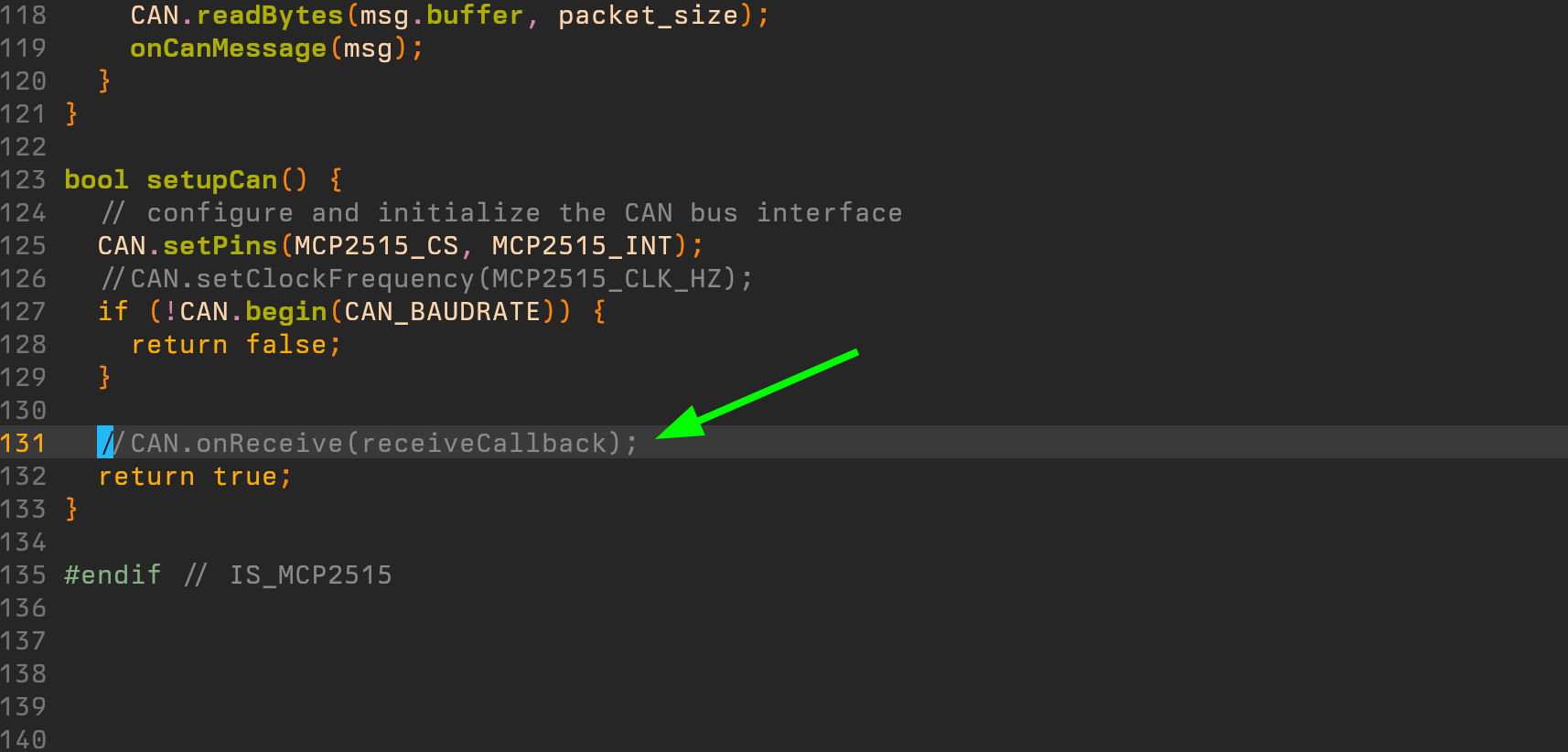
Well my understanding is more that ODrive doesn’t send messages except the cyclic ones. In fact for instance it seems that my function setVelocityLimit works (without acknowledgment response) but getVelocityLimit doesn’t.
Here is the code : it’s the sineWave example slightly modified for ESP32S3 with MCP2515 with additional functions home made in order to test those problems.
/*
Basé sur l'exemple SineWave de ODrive, avec des fonctions ajoutées  :
- une fonction pour Clear Errors
- une fonction pour Toggle MOTOR
- des fonction get et set pour quelques valeurs :
    - velocity limit
    - position gain
    - velocity gain
    - velocity intergrator gain

Pour tester on ajoute juste le toggle motors et le clear errors toutes les 15 sec,  avec le get vals
+ un set vals pour voir

 * ────────────────────────────────────────────────────────────────────────
 * Fonctions exposées
 * ────────────────────────────────────────────────────────────────────────
 *  clearErrors()                          – efface les erreurs ODrive
 *  setMotorEnable(bool enable)            – active / coupe le moteur
 *  getVelocityLimit() / setVelocityLimit()
 *  getPositionGain()  / setPositionGain()
 *  getVelocityGain()  / setVelocityGain()
 *  getVelIntegratorGain() / setVelIntegratorGain()


CODE DU TEST CAN ODRIVE POUR ESP32S3
En utilisant la lib SPI classique :
c'est à dire sans séparer les 2 SPI disponibles sur le S3 (VSPI et HSPI)
-> Quand on appelle SPI sans spécifier, c'est le VSPI qui est appelé

  Type de SPI :         VSPI          HSPI
  MOSI Pin                11            35
  MISO Pin                13            37
  CLK Pin                 12            36
  CS Pin                  10
  INT Pin (MCP2515)       14
*/


#include <Arduino.h>
#include "ODriveCAN.h"

// Documentation for this example can be found here:
// https://docs.odriverobotics.com/v/latest/guides/arduino-can-guide.html


/* Configuration of example sketch -------------------------------------------*/
#define SINEWAVE_MOVE

//#define TRIANGLE_MOVE
#define TRIANGLE_AMPLITUDE  1
#define TRIANGLE_SPEED      1

// CAN bus baudrate. Make sure this matches for every device on the bus
#define CAN_BAUDRATE 250000

// ODrive node_id for odrv0
#define ODRV0_NODE_ID 0


 #define IS_MCP2515 // Any board with external MCP2515 based extension module. See below to configure the module.


/* Board-specific includes ---------------------------------------------------*/

#ifdef IS_MCP2515
// See https://github.com/sandeepmistry/arduino-CAN/
#include "MCP2515.h"
#include "ODriveMCPCAN.hpp"
#endif // IS_MCP2515


/* Board-specific settings ---------------------------------------------------*/


/* MCP2515-based extension modules -*/

#ifdef IS_MCP2515

MCP2515Class& can_intf = CAN;

// chip select pin used for the MCP2515
#define MCP2515_CS 10

// interrupt pin used for the MCP2515
// NOTE: not all Arduino pins are interruptable, check the documentation for your board!
#define MCP2515_INT 14

// freqeuncy of the crystal oscillator on the MCP2515 breakout board.
// common values are: 16 MHz, 12 MHz, 8 MHz
#define MCP2515_CLK_HZ 8000000

/*
static inline void receiveCallback(int packet_size) {
  if (packet_size > 8) {
    Serial.println("Debug_TooBigMessage");
    return; // not supported
  }
  Serial.println("rcvdMessage");
  CanMsg msg = {.id = (unsigned int)CAN.packetId(), .len = (uint8_t)packet_size};
  CAN.readBytes(msg.buffer, packet_size);
  onCanMessage(msg);
}*/
void receiveMessage(void) {
  int packet_size = CAN.parsePacket();
  if (packet_size) {
    if (packet_size > 8) {
      Serial.println("Debug_TooBigMessage");
      return; // not supported
    }
    //Serial.println("rcvdMessage");
    CanMsg msg = {.id = (unsigned int)CAN.packetId(), .len = (uint8_t)packet_size};
    CAN.readBytes(msg.buffer, packet_size);
    onCanMessage(msg);
  }
}

bool setupCan() {
  // configure and initialize the CAN bus interface
  CAN.setPins(MCP2515_CS, MCP2515_INT);
  //CAN.setClockFrequency(MCP2515_CLK_HZ);
  if (!CAN.begin(CAN_BAUDRATE)) {
    return false;
  }

  //CAN.onReceive(receiveCallback);
  return true;
}

#endif // IS_MCP2515


/* Example sketch ------------------------------------------------------------*/

// Instantiate ODrive objects
ODriveCAN odrv0(wrap_can_intf(can_intf), ODRV0_NODE_ID); // Standard CAN message ID
ODriveCAN* odrives[] = {&odrv0}; // Make sure all ODriveCAN instances are accounted for here

struct ODriveUserData {
  Heartbeat_msg_t last_heartbeat;
  bool received_heartbeat = false;
  Get_Encoder_Estimates_msg_t last_feedback;
  bool received_feedback = false;
};

// Keep some application-specific user data
//for every ODrive.
ODriveUserData odrv0_user_data;


// Called every time a Heartbeat message arrives from the ODrive
void onHeartbeat(Heartbeat_msg_t& msg, void* user_data) {
  ODriveUserData* odrv_user_data = static_cast<ODriveUserData*>(user_data);
  odrv_user_data->last_heartbeat = msg;
  odrv_user_data->received_heartbeat = true;
  //Serial.println("Heartbeat_rcvd");
}

// Called every time a feedback message arrives from the ODrive
void onFeedback(Get_Encoder_Estimates_msg_t& msg, void* user_data) {
  ODriveUserData* odrv_user_data = static_cast<ODriveUserData*>(user_data);
  odrv_user_data->last_feedback = msg;
  odrv_user_data->received_feedback = true;
  //Serial.println("Feedback_rcvd");
}

// Called for every message that arrives on the CAN bus
void onCanMessage(const CanMsg& msg) {
  Serial.print("Received CAN message with ID: ");
  Serial.println(msg.id, HEX);  // Print CAN message ID for debugging
  for (auto odrive: odrives) {
    onReceive(msg, *odrive);
  }
}


////////////////////////////////////////// AJOUTS FONCTIONS test : ///////////////////////////////////////////////////

// ══════════════════════════════════════════════════════════════════════════
//  1. Clear Errors
// ══════════════════════════════════════════════════════════════════════════
/**
 * Efface toutes les erreurs actives sur l'ODrive.
 * Utilise odrv0.clearErrors() de ODriveCAN.h.
 */
void clearErrors()
{
    odrv0.clearErrors();
    Serial.println("[ODrive] clearErrors() envoyé.");
}

// ══════════════════════════════════════════════════════════════════════════
//  2. Allumer / éteindre le moteur
// ══════════════════════════════════════════════════════════════════════════
/**
 * Active ou coupe le moteur.
 *   enable = true  → CLOSED_LOOP_CONTROL  (moteur sous tension, asservi)
 *   enable = false → IDLE                 (moteur libre)
 *
 * Utilise odrv0.setState() de ODriveCAN.h.
 * Attend la confirmation via le Heartbeat (avec timeout 2 s).
 */
void setMotorEnable(bool enable)
{
    ODriveAxisState target = enable
        ? ODriveAxisState::AXIS_STATE_CLOSED_LOOP_CONTROL
        : ODriveAxisState::AXIS_STATE_IDLE;

    uint32_t deadline = millis() + 2000;

    while (odrv0_user_data.last_heartbeat.Axis_State != target) {
        if (millis() > deadline) {
            Serial.printf("[ODrive] setMotorEnable(%d) : timeout\n", enable);
            return;
        }
        odrv0.clearErrors();
        delay(1);
        odrv0.setState(target);

        // Pomper les événements CAN pendant ~150 ms pour recevoir le Heartbeat
        for (int i = 0; i < 15; ++i) {
            delay(10);
            pumpEvents(can_intf);
        }
    }

    Serial.printf("[ODrive] Moteur %s\n",
                  enable ? "ALLUMÉ (CLOSED_LOOP)" : "ÉTEINT (IDLE)");
}

// ══════════════════════════════════════════════════════════════════════════
//  3. Velocity Limit  (vitesse max en tr/s)
// ══════════════════════════════════════════════════════════════════════════
/**
 * Lit la Velocity Limit ET le Current Soft Max actuels.
 * Utilise odrv0.setLimits() pour les deux à la fois (protocole CAN Simple).
 *
 * Note : la librairie ne fournit pas de getter dédié pour ces valeurs ;
 * on utilise getEndpoint<float>() avec les IDs du flat_endpoints.json.
 *
 * EP 213 = axis0.controller.config.vel_limit
 * EP 215 = axis0.motor.config.current_soft_max  (courant max)
 */
static constexpr uint16_t EP_VEL_LIMIT        = 213;
static constexpr uint16_t EP_CURRENT_SOFT_MAX = 215;


float getVelocityLimit()
{
    float val = odrv0.getEndpoint<float>(EP_VEL_LIMIT);
    Serial.printf("[ODrive] Velocity Limit = %.4f tr/s\n", val);
    return val;
}

/**
 * Modifie la Velocity Limit.
 * current_soft_max est lu au préalable pour ne pas l'écraser.
 */
void setVelocityLimit(float vel_limit)
{
    float current_max = odrv0.getEndpoint<float>(EP_CURRENT_SOFT_MAX);
    odrv0.setLimits(vel_limit, current_max);
    Serial.printf("[ODrive] Velocity Limit → %.4f tr/s\n", vel_limit);
}

// ══════════════════════════════════════════════════════════════════════════
//  4. Position Gain  (boucle de position)
// ══════════════════════════════════════════════════════════════════════════
/**
 * Lit le Position Gain.
 * EP 160 = axis0.controller.config.pos_gain
 */
static constexpr uint16_t EP_POS_GAIN = 160;

float getPositionGain()
{
    float val = odrv0.getEndpoint<float>(EP_POS_GAIN);
    Serial.printf("[ODrive] Position Gain = %.4f\n", val);
    return val;
}

/**
 * Modifie le Position Gain.
 * Utilise odrv0.setPosGain() de ODriveCAN.h.
 */
void setPositionGain(float pos_gain)
{
    odrv0.setPosGain(pos_gain);
    Serial.printf("[ODrive] Position Gain → %.4f\n", pos_gain);
}

// ══════════════════════════════════════════════════════════════════════════
//  5. Velocity Gain  (boucle de vitesse)
// ══════════════════════════════════════════════════════════════════════════
/**
 * Lit le Velocity Gain.
 * EP 161 = axis0.controller.config.vel_gain
 */
static constexpr uint16_t EP_VEL_GAIN = 161;

float getVelocityGain()
{
    float val = odrv0.getEndpoint<float>(EP_VEL_GAIN);
    Serial.printf("[ODrive] Velocity Gain = %.4f\n", val);
    return val;
}

/**
 * Modifie le Velocity Gain (et conserve le Vel Integrator Gain existant).
 * Utilise odrv0.setVelGains() de ODriveCAN.h.
 */
void setVelocityGain(float vel_gain)
{
    // On lit l'intégrateur pour ne pas l'écraser
    float vel_int = odrv0.getEndpoint<float>(EP_VEL_GAIN + 1); // EP 162
    odrv0.setVelGains(vel_gain, vel_int);
    Serial.printf("[ODrive] Velocity Gain → %.4f\n", vel_gain);
}

// ══════════════════════════════════════════════════════════════════════════
//  6. Velocity Integrator Gain
// ══════════════════════════════════════════════════════════════════════════
/**
 * Lit le Velocity Integrator Gain.
 * EP 162 = axis0.controller.config.vel_integrator_gain
 */
static constexpr uint16_t EP_VEL_INTEGRATOR_GAIN = 162;

float getVelIntegratorGain()
{
    float val = odrv0.getEndpoint<float>(EP_VEL_INTEGRATOR_GAIN);
    Serial.printf("[ODrive] Vel Integrator Gain = %.4f\n", val);
    return val;
}

/**
 * Modifie le Velocity Integrator Gain (et conserve le Vel Gain existant).
 * Utilise odrv0.setVelGains() de ODriveCAN.h.
 */
void setVelIntegratorGain(float vel_integrator_gain)
{
    float vel_gain = odrv0.getEndpoint<float>(EP_VEL_GAIN);
    odrv0.setVelGains(vel_gain, vel_integrator_gain);
    Serial.printf("[ODrive] Vel Integrator Gain → %.4f\n", vel_integrator_gain);
}
///////////////////////////////////////////fin AJOUTS test /////////////////////////////////////////////////

void setup() {
  Serial.begin(115200);
  Serial.println("test1");
  delay(100);
  Serial.println("test2");

delay(1000);
  Serial.println("test3");

  // Wait for up to 3 seconds for the serial port to be opened on the PC side.
  // If no PC connects, continue anyway.
//  for (int i = 0; i < 30 && !Serial; ++i) {
//    delay(100);
//  }
  delay(200);


  Serial.println("Starting ODriveCAN demo");

  // Register callbacks for the heartbeat and encoder feedback messages
  odrv0.onFeedback(onFeedback, &odrv0_user_data);
  odrv0.onStatus(onHeartbeat, &odrv0_user_data);

  // Configure and initialize the CAN bus interface. This function depends on
  // your hardware and the CAN stack that you're using.
  if (!setupCan()) {
    Serial.println("CAN failed to initialize: reset required");
    while (true); // spin indefinitely
  }

  Serial.println("Waiting for ODrive...");
  while (!odrv0_user_data.received_heartbeat) {
    pumpEvents(can_intf);
    receiveMessage();
    delay(100);
  }

  Serial.println("found ODrive");

  // request bus voltage and current (1sec timeout)
  Serial.println("attempting to read bus voltage and current");
  Get_Bus_Voltage_Current_msg_t vbus;
  if (!odrv0.request(vbus, 1000)) {
    Serial.println("vbus request failed!");
    //while (true); // spin indefinitely
  }

  Serial.print("DC voltage [V]: ");
  Serial.println(vbus.Bus_Voltage);
  Serial.print("DC current [A]: ");
  Serial.println(vbus.Bus_Current);

  Serial.println("Enabling closed loop control...");
  while (odrv0_user_data.last_heartbeat.Axis_State != ODriveAxisState::AXIS_STATE_CLOSED_LOOP_CONTROL) {
    odrv0.clearErrors();
    delay(1);
    odrv0.setState(ODriveAxisState::AXIS_STATE_CLOSED_LOOP_CONTROL);

    // Pump events for 150ms. This delay is needed for two reasons;
    // 1. If there is an error condition, such as missing DC power, the ODrive might
    //    briefly attempt to enter CLOSED_LOOP_CONTROL state, so we can't rely
    //    on the first heartbeat response, so we want to receive at least two
    //    heartbeats (100ms default interval).
    // 2. If the bus is congested, the setState command won't get through
    //    immediately but can be delayed.
    for (int i = 0; i < 15; ++i) {
      delay(10);
      pumpEvents(can_intf);
      receiveMessage();
    }
  }

  Serial.println("ODrive running!");
}

bool motorState=1;
#define DELAY_BOUCLE_TOGGLE 10000
uint32_t cur_time_ms, toggle_time_ms;
void loop() {
  cur_time_ms=millis();
  pumpEvents(can_intf); // This is required on some platforms to handle incoming feedback CAN messages
                        // Note that on MCP2515-based platforms, this will delay for a fixed 10ms.
                        //
                        // This has been found to reduce the number of dropped messages, however it can be removed
                        // for applications requiring loop times over 100Hz.
  receiveMessage();

  if (((cur_time_ms - toggle_time_ms) > DELAY_BOUCLE_TOGGLE)){
    toggle_time_ms=cur_time_ms;
    motorState=!motorState;
    if (!motorState){
      setMotorEnable(0);
    }
    else{
      clearErrors();
      setMotorEnable(1);
      float test=getVelocityLimit();
      getPositionGain();
      getVelocityGain();
      getVelIntegratorGain();
      //setVelocityLimit(test-0.1);

        // request bus voltage and current (1sec timeout)
      Serial.println("attempting to read bus voltage and current");
      Get_Bus_Voltage_Current_msg_t vbus;
      if (!odrv0.request(vbus, 5000)) {
        Serial.println("vbus request failed!");
        //while (true); // spin indefinitely
      }

      Serial.print("DC voltage [V]: ");
      Serial.println(vbus.Bus_Voltage);
      Serial.print("DC current [A]: ");
      Serial.println(vbus.Bus_Current);
    }
  }

  if (motorState){
    float SINE_PERIOD = 2.0f;//1.0f; // Period of the position command sine wave in seconds

    float t = 0.001 * millis();

    float phase = t * (TWO_PI / SINE_PERIOD);


    #ifdef SINEWAVE_MOVE
    odrv0.setPosition(
      sin(phase),//*3, // position
      cos(phase) * (TWO_PI / SINE_PERIOD) // velocity feedforward (optional)
    );
    #endif
    #ifdef TRIANGLE_MOVE
    static uint32_t po;
    #endif

    // print position and velocity for Serial Plotter
    if (odrv0_user_data.received_feedback) {
      Get_Encoder_Estimates_msg_t feedback = odrv0_user_data.last_feedback;
      odrv0_user_data.received_feedback = false;
      //Serial.print("odrv0-pos:");
      //Serial.print(feedback.Pos_Estimate);
      //Serial.print(",");
      //Serial.print("odrv0-vel:");
      //Serial.println(feedback.Vel_Estimate);
    }
  }
}